Quick answer: Assistive technology in special education is any item, piece of equipment or software that helps a student with a disability do something they could not do, or could only do with great difficulty, such as reading, writing, communicating, moving or staying organized. Under IDEA, assistive technology includes both devices and services (evaluation, training, maintenance). It ranges from no-tech and low-tech tools like pencil grips and visual timers to high-tech tools like text-to-speech and speech-generating devices. IEP teams must consider whether every student needs assistive technology.
In this guide
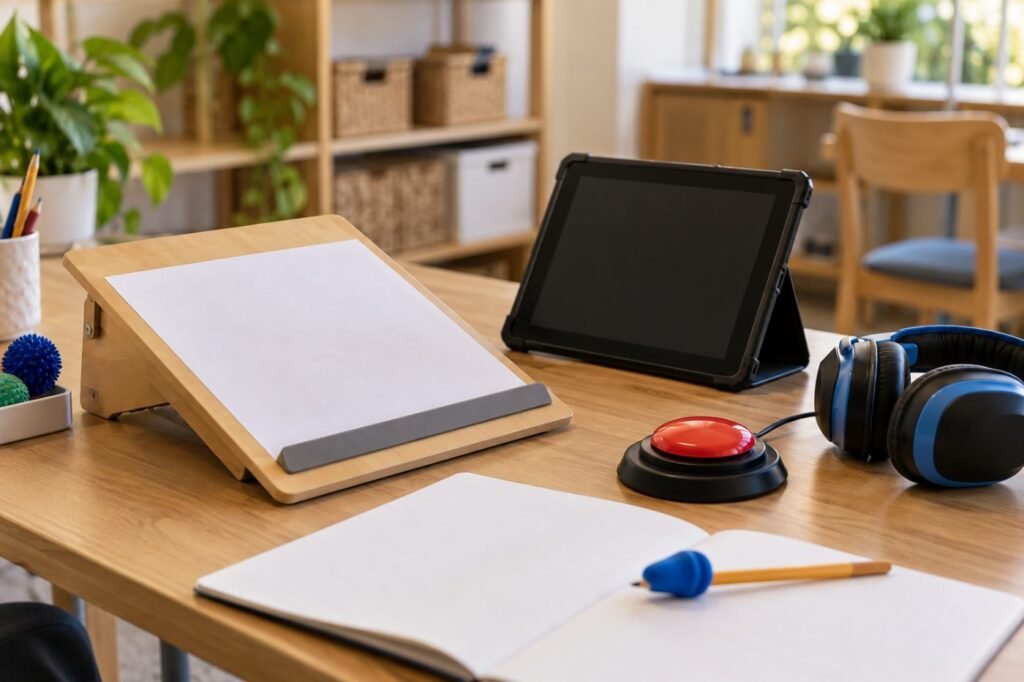
A student who cannot hold a pencil writes an essay with voice typing. A nonspeaking student answers a question with a tablet. A student with dyslexia listens to the science chapter while following the text. That is assistive technology in special education: the right tool removing a barrier so the student can show what they know.
What IDEA Says About Assistive Technology
Two parts of assistive technology under IDEA
These definitions come from IDEA, as summarized by the New Jersey Department of Education (NJDOE). Each public agency must make sure devices and services are available when a child needs them (34 CFR 300.105).
Key point: Assistive technology in special education is not only gadgets. The training and support to use them well are part of the legal definition.
From No-Tech to High-Tech
The assistive technology continuum
Start with the simplest tool that works. See low-tech assistive technology for dozens of ideas.
Assistive Technology by Need
| Need | Example tools | Learn more |
|---|---|---|
| Reading | Text-to-speech, audiobooks, reading pens | AT for reading |
| Writing | Speech-to-text, word prediction, graphic organizers | AT for writing |
| Math | Talking calculators, digital math tools, graph paper | AT for math |
| Organization | Visual timers, reminder apps, digital planners | AT for executive function |
| Communication | Picture boards, speech-generating devices | Choosing an AAC device |
| Physical access | Switches, adapted keyboards, eye gaze | AT for physical disabilities |
Myths and Facts About Assistive Technology
| Myth | Fact |
|---|---|
| AT is only for students with severe disabilities | Any student with an IEP may need AT, including students with learning disabilities or ADHD |
| AT is a crutch | AT gives access; students still learn skills |
| Parents must pay for AT | If AT is in the IEP, it is provided at no cost to the family |
| AT stays at school | The IEP team can decide a student needs the device at home |
In January 2024, the U.S. Department of Education released new guidance to clear up common misconceptions about AT under IDEA (OSEP and OET, 2024).

How to Get Started
- List the tasks that are hardest for the student right now.
- Ask the IEP team to consider AT at the next meeting; see assistive technology in the IEP.
- Request an assistive technology assessment if needs are unclear.
- Try tools for several weeks and collect data.
- Plan training for the student, teachers and family.
Parent request
“Our son spends hours on short writing assignments. We would like the IEP team to consider assistive technology for writing, such as speech-to-text or word prediction, and to complete an AT assessment if needed.”
Real-Life Example
Case story
Kai, 12, has dysgraphia and dyslexia. His IEP team ran a six-week trial of text-to-speech for reading and speech-to-text for writing. His reading assignments were finished on time for the first time, and his written answers grew from one sentence to full paragraphs. The tools were added to his IEP, and his teachers received a short training.
Remember: The best assistive technology is the one the student actually uses. Involve the student in choosing and testing tools.
Assistive Technology in Special Education FAQ
What is assistive technology in special education?
Devices and services that help students with disabilities access learning, communication and daily tasks.
Does every IEP need assistive technology?
Every IEP team must consider it, but not every student will need it.
Who pays for assistive technology in the IEP?
The school district, at no cost to the family.
Can a 504 plan include assistive technology?
Yes. Many 504 plans include tools like text-to-speech or calculators.
Is assistive technology only high-tech?
No. Low-tech tools like pencil grips and visual schedules are AT too.
In short: Assistive technology in special education opens doors to learning. Consider it for every student, start simple and train everyone who uses it. This article is part of our Assistive Technology series.
Was this article helpful?
Tap a star to rate
Sources
- IDEA Regulations, 34 CFR 300.105. Assistive technology
- OSEP and OET (2024). Assistive Technology Devices and Services for Children with Disabilities Under the IDEA
- New Jersey Department of Education. Assistive Technology
- Reading Rockets. Assistive Technology for Kids with Learning Disabilities: An Overview
This article is educational and does not replace professional advice.